Equipment tracking
Equipment tracking software for contractors with gear on every jobsite
The generator went to the Elm Street job in March. Is it still there? Who signed for it, how many hours are on it, and is its annual inspection done? FlowNext answers that for every generator, lift, trailer, compressor and laser you own or rent, because the crew updates each one from a QR tag on the machine, from any phone, with no app.
No card. Unlimited field users on every plan, from $39/month.
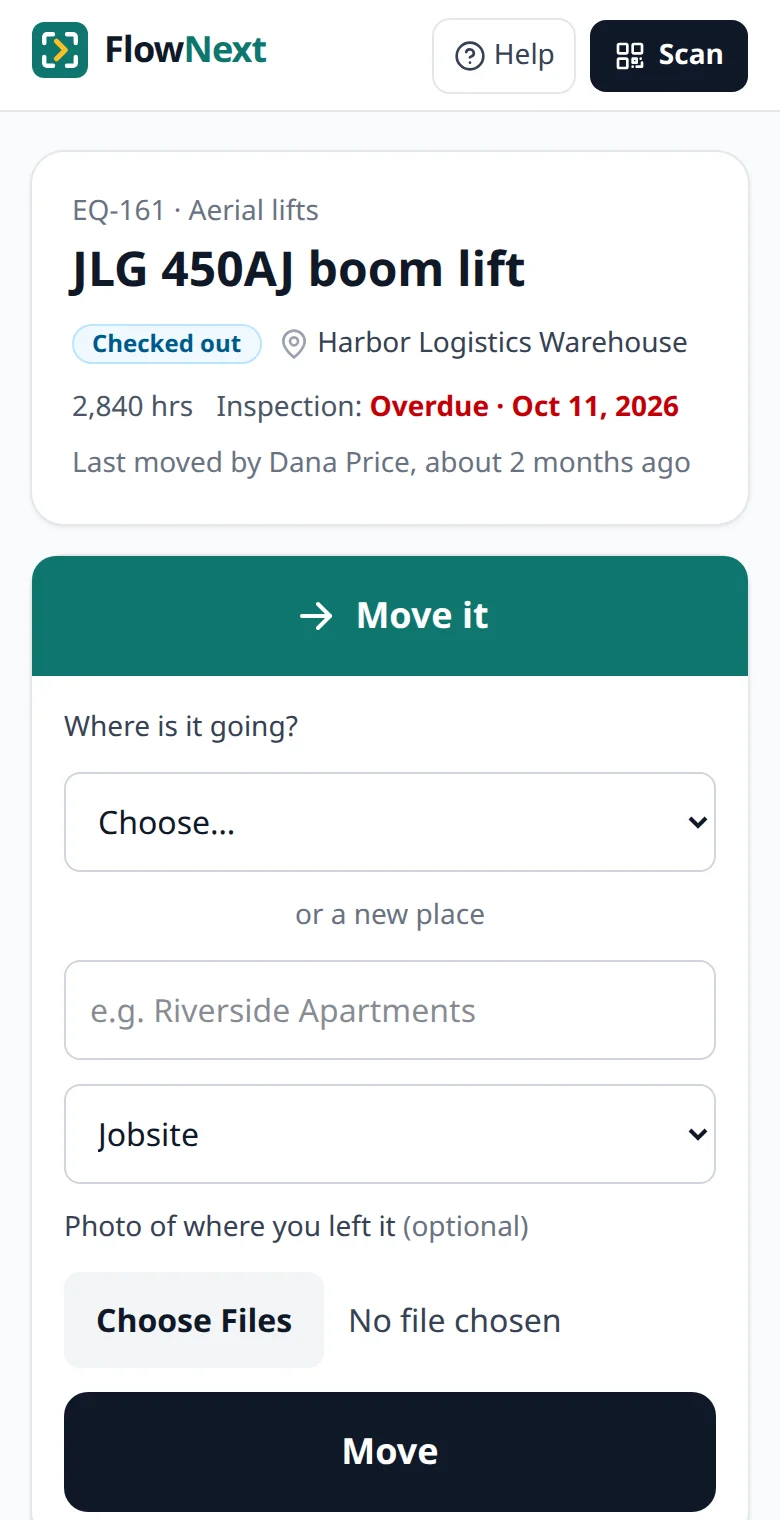
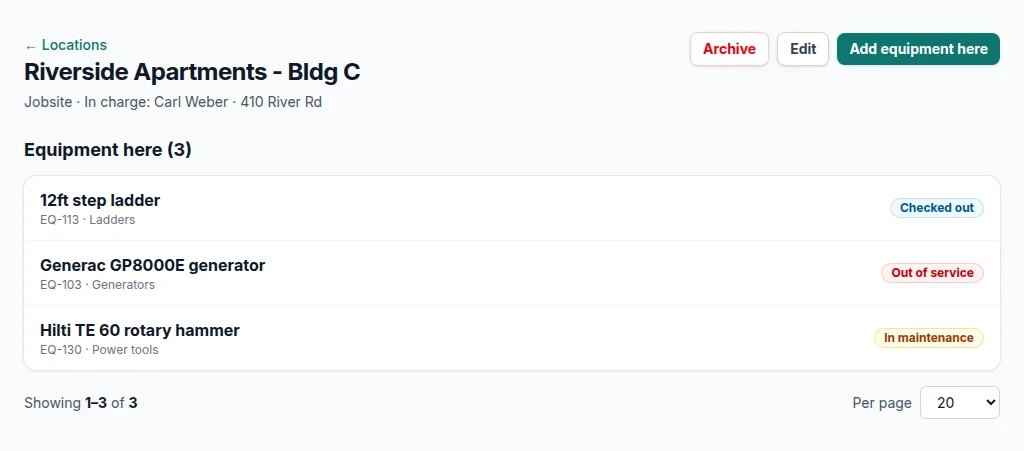
Screens from a demo account with made-up equipment and people.
Equipment is a different problem from hand tools
A missing drill is an annoyance. A missing light tower, a generator sitting idle on a finished job while you rent another, or a scissor lift whose annual inspection lapsed last month is real money and real liability. Equipment is fewer items than tools, but each one moves between more places, carries hours and inspection dates, and has a repair history someone will ask about.
That's why the equipment list is usually the first spreadsheet a contractor outgrows. It holds the serial numbers fine. What it can't hold is where the machine went on Tuesday, because the person who moved it wasn't at a computer.
What FlowNext keeps for each machine
Where it is, and who has it
Every item is at one yard, jobsite, vehicle or person. Sending it anywhere but a yard checks it out to that place; bringing it back checks it in.
A custody trail nobody can rewrite
Each move, status change and hour reading is saved with who did it, when and, if the phone shares it, where. The history can't be edited afterwards.
Hours from the hour meter
The operator types the reading from the tag page. You see hours per machine without anyone collecting paper logs.
Inspection dates, read for you
Upload the inspection certificate and its expiry date is read from it (Pro and Business). The office gets an email before it lapses.
Out of service, from the field
A crew member who finds a fault marks it out of service on the spot, with a photo. The office is told, and the next person who scans it sees it.
What it has cost
Purchase price plus every repair in the maintenance log, and a flag when repairs pass half of what it cost new (Pro and Business).
Check-out and check-in without a tool room
Most equipment check-out systems assume someone behind a counter. Small contractors don't have one: the yard is open at 6 a.m. and the foreman loads the trailer himself. So in FlowNext, the person taking the machine records it. They scan its tag, pick the jobsite, van or person it's going to, and that's the check-out. When it comes back, they scan it again and pick the yard.
The office sees each jobsite's list update as it happens, and the equipment reports show who had any item on a given day, what's at each place right now, and where the money went. If you'd rather start on paper, the equipment check-out guide has a free printable sign-out sheet.
What it doesn't do
Equipment tracking covers a lot of ground, so here is where FlowNext stops:
- No GPS trackers or telematics. Location is saved when someone updates a machine from its tag. If you need excavators that report their own position and engine hours from the cab, you want a telematics system.
- No service-interval reminders. Inspections remind you; oil changes at 250 hours don't. Hours and repairs are recorded, not scheduled.
- No reservations. You can see what's free right now, but not book a lift for next Thursday.
- No consumables. Each item is tracked on its own. Boxes of screws and rolls of wire belong in an inventory app.
Guides on equipment tracking
Moving from something else
Bring your equipment list over as a CSV: headings are matched loosely, and exports from several other apps are recognised as they are. Importing equipment explains how. Each comparison below uses the other company's own site, dated, and says when it's the better choice.
- FlowNext vs Excel — Why the equipment spreadsheet drifts out of date, when it's still enough, and how to move it over.
- FlowNext vs Asset Panda — A configurable platform priced by quote vs a contractor tool with its price on the page.
- FlowNext vs EZOfficeInventory — A full asset lifecycle suite vs a focused equipment tracker, priced side by side at 500 items.
- FlowNext vs Milwaukee One-Key — Free Bluetooth tracking built into Milwaukee tools, or QR tags on every brand, with inspections.
- All comparisons
Questions
Is this equipment management software?+
It covers the tracking half of it: where each machine is, who has it, its hours, inspections, faults and repair costs. It doesn't schedule maintenance, take reservations or read telematics.
Can I track rented equipment?+
Yes. Add the rental as an item, link the rental company's barcode to it so a scan finds it, and archive it when it goes back. Its history stays.
How do engine hours get in?+
The operator scans the tag and types the hour meter reading. Each reading is saved in the machine's history with who entered it.
Does it work for heavy equipment?+
For custody, hours and inspections, yes: put the QR label inside the cab or on the hour-meter panel. For live location and engine data straight from the machine, use a telematics system alongside it.
Tag your first ten items this afternoon
14-day free trial, no card. Unlimited field users on every plan, from $39/month after that.