Features · Reports
Four equipment reports that answer the questions the office gets asked
Which certifications have lapsed? Who had the pipe press last? What's sitting in Van 3? Is this generator worth fixing again? Each report is one click, and every one downloads as a CSV.
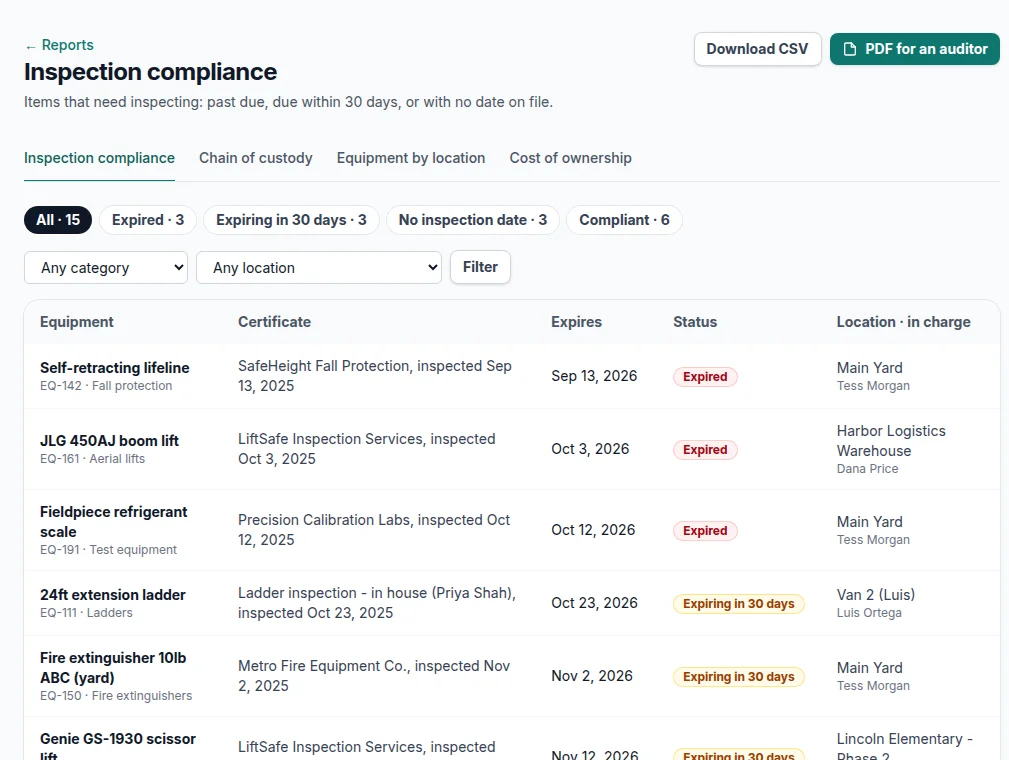
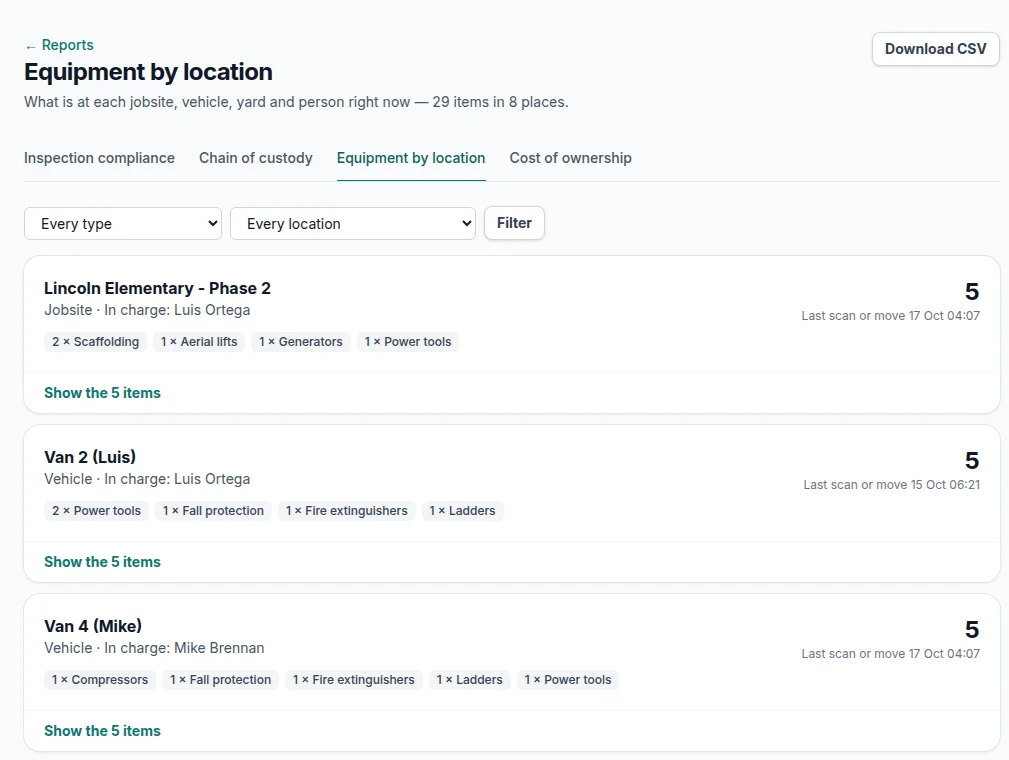
Screens from a demo account with made-up equipment and people.
Inspection compliance
Which items have expired inspection certificates, or are due within 30 days?
Every item that needs inspecting — by due date, by category interval or because it has a certificate on file — with a status of Expired, Expiring in 30 days, No inspection date or Compliant, plus who certified it, where it is and who's in charge there.
Download: CSV, and a PDF formatted to hand a jobsite auditor or an insurance underwriter.
Chain of custody
Where has this tool been, and who logged it last?
Every check-out, check-in, move, status change, scan and problem report, as From → To with the person who did it. Filter by item, person and date range; it opens on the last 30 days.
Download: CSV of exactly the rows you filtered.
Equipment by location
What's on each jobsite, in each van and at the yard right now?
Grouped by location, with the person in charge, the item count, a breakdown like "2 × Rotary hammers, 1 × Generator" and the last time anything there was scanned or moved.
Download: CSV, one row per location — useful for checking a van before it leaves the yard on Monday.
Cost of ownership
Have we spent more fixing this than it's worth?
Purchase price plus every repair cost in the maintenance log, the total, and repairs as a share of the price. Items whose repairs reach half their price are flagged "Consider replacing".
Download: CSV. Repair costs come from maintenance entries, a Pro and Business feature.
A Monday morning digest
Owners get one email at 6 AM every Monday, in your own time zone, with the four numbers that matter:
- inspections expired or due this month
- items flagged for repair
- items to consider replacing
- how much equipment is out in the vehicles
Each number links straight to the list behind it.
The numbers come from what the crew already does
There's no separate data entry for reports. Scans, moves and problem reports from the field, certificates on each item and the maintenance log are the source — so a report is only as current as the last scan, and with tags on everything, that's usually today.
Need the raw data? Export every item, and every item's full history, to CSV at any time.
Questions
Which reports are included?+
Four: inspection compliance, chain of custody, equipment by location and cost of ownership. Each one downloads as a CSV.
Can I hand a report to an auditor?+
Yes. The inspection compliance report also downloads as a PDF, ready to send to an auditor or a client.
Who gets the Monday digest?+
Owners, at 6 AM every Monday in your company's time zone. Each number in it links straight to the list behind it.
More of what's in FlowNext
- QR & barcode tags Print your own labels or use the barcodes already on your gear.
- No-app field updates Crews move gear, log hours and report problems from a phone camera.
- Inspections & AI reading Due dates from your certificates, and a morning email before they lapse.
- Maintenance & costs Service history per machine and when to replace instead of repair.
- Import & switching Bring your spreadsheet, or another app's export as it is.
Try it on your own equipment
14 days free on the Pro plan, no card. Import your list, print a sheet of tags and have the crew scan one today.