Features · Inspections & AI reading
Equipment inspection tracking: know what's due before an auditor or an accident tells you
Each item carries its next inspection date, taken from the certificate you upload. The dashboard and a morning email show what's overdue and what's due in the next 30 days — and a compliance report hands the whole picture to an auditor.
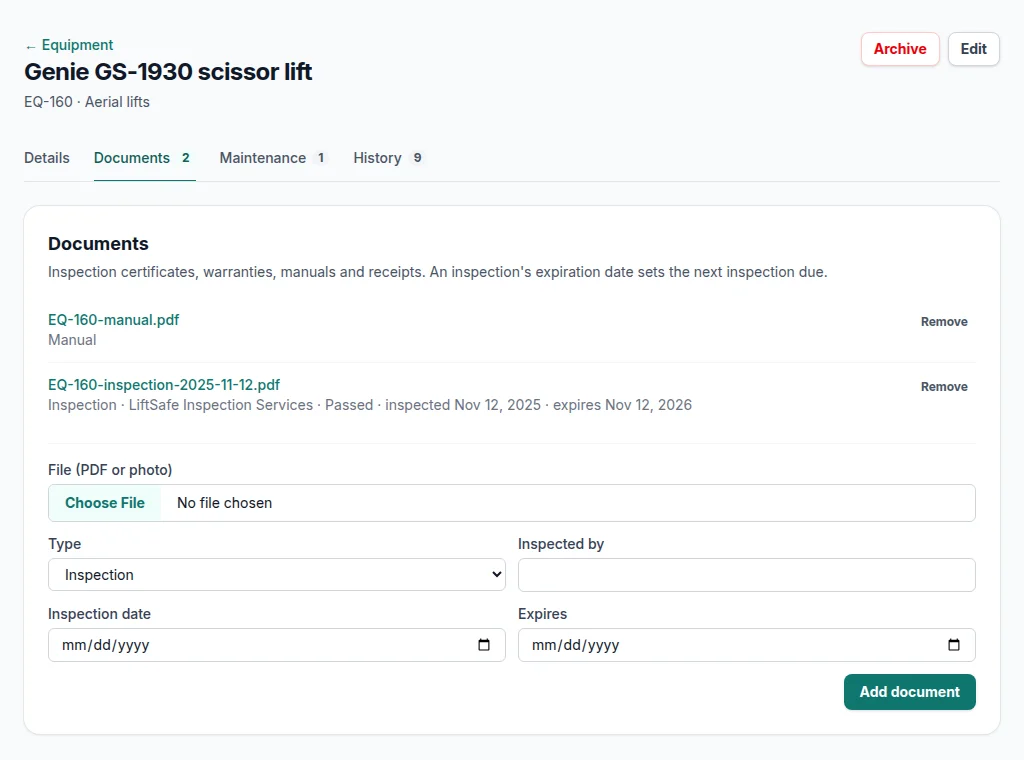
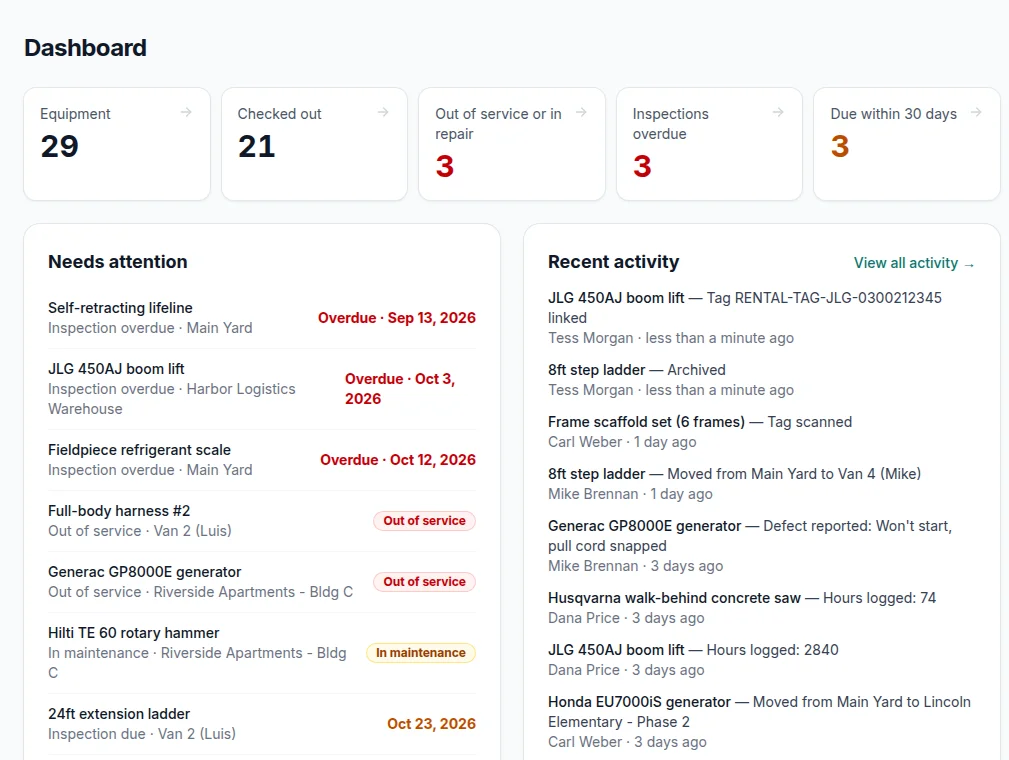
Screens from a demo account with made-up equipment and people.
Where the due date comes from
The certificate's expiration
Upload an inspection certificate to the item — a PDF, or a photo of the paper one — with its inspection and expiration dates. The expiration becomes the item's next inspection due date. Upload next year's and the date moves on its own.
Or an interval for the whole category
Some certificates have no expiration printed. Give the category an interval — ladders every 12 months, say — and the next date is the last inspection plus that interval.
Warranties, manuals and receipts can be attached to the same item, so the paperwork travels with the equipment instead of living in a filing cabinet at the office.
AI reads the certificate for you
On the Pro and Business plans, an uploaded document is read automatically. FlowNext works out whether it's an inspection certificate, a warranty, a manual or a receipt, and fills in what it finds:
- Inspection date
- Expiration date
- Pass or fail
- Inspector or certifying body
- Make and model
- Serial number
Built not to guess
- It only fills fields that are empty. Anything you typed stays as you typed it.
- When it can't read a date, it leaves it blank rather than inventing one — a blank costs you ten seconds; a wrong expiration date costs you a missed inspection.
- An expiration earlier than the inspection date is thrown out.
- If the serial number on the document doesn't match the item's, you see a warning instead of an overwrite.
Reminders that don't nag
A morning email
The office team gets one email listing what has just come due within 30 days and what has gone overdue. Each item is mentioned once per stage, not every day.
The dashboard
Overdue and due-soon counts sit at the top of the office dashboard; each one opens the equipment list filtered to exactly those items.
A report for the auditor
The inspection compliance report lists every item that needs inspecting with its status, certificate and location, and downloads as a PDF or CSV.
Not sure what needs documented inspections? The inspection tracking checklist covers the common ones and the standards behind them. Reminders are for inspections; service intervals are recorded on the category but don't send reminders yet.
Questions
Where does the next inspection date come from?+
From the expiration date on the latest inspection certificate uploaded to the item. If the certificate has none, from the last inspection date plus the interval set on the item's category.
Which plans read certificates automatically?+
Pro and Business, and the free trial. On Starter you type the dates from the certificate yourself; due dates, reminders and the compliance report work the same on every plan.
How often does the office get reminder emails?+
One morning email lists what has just come due within 30 days and what has gone overdue. Each item is mentioned once per stage, not every day.
Guides on inspections and safety compliance
More of what's in FlowNext
- QR & barcode tags Print your own labels or use the barcodes already on your gear.
- No-app field updates Crews move gear, log hours and report problems from a phone camera.
- Reports Compliance, chain of custody, equipment by location, cost of ownership.
- Maintenance & costs Service history per machine and when to replace instead of repair.
- Import & switching Bring your spreadsheet, or another app's export as it is.
Try it on your own equipment
14 days free on the Pro plan, no card. Import your list, print a sheet of tags and have the crew scan one today.