Features · No-app field updates
Tool tracking without an app: your crew updates equipment from the phone camera
A tech points their camera at the tag and the item opens in the browser. Two taps to move it, log the hour meter or report that it's broken. Field users are free and unlimited on every plan.
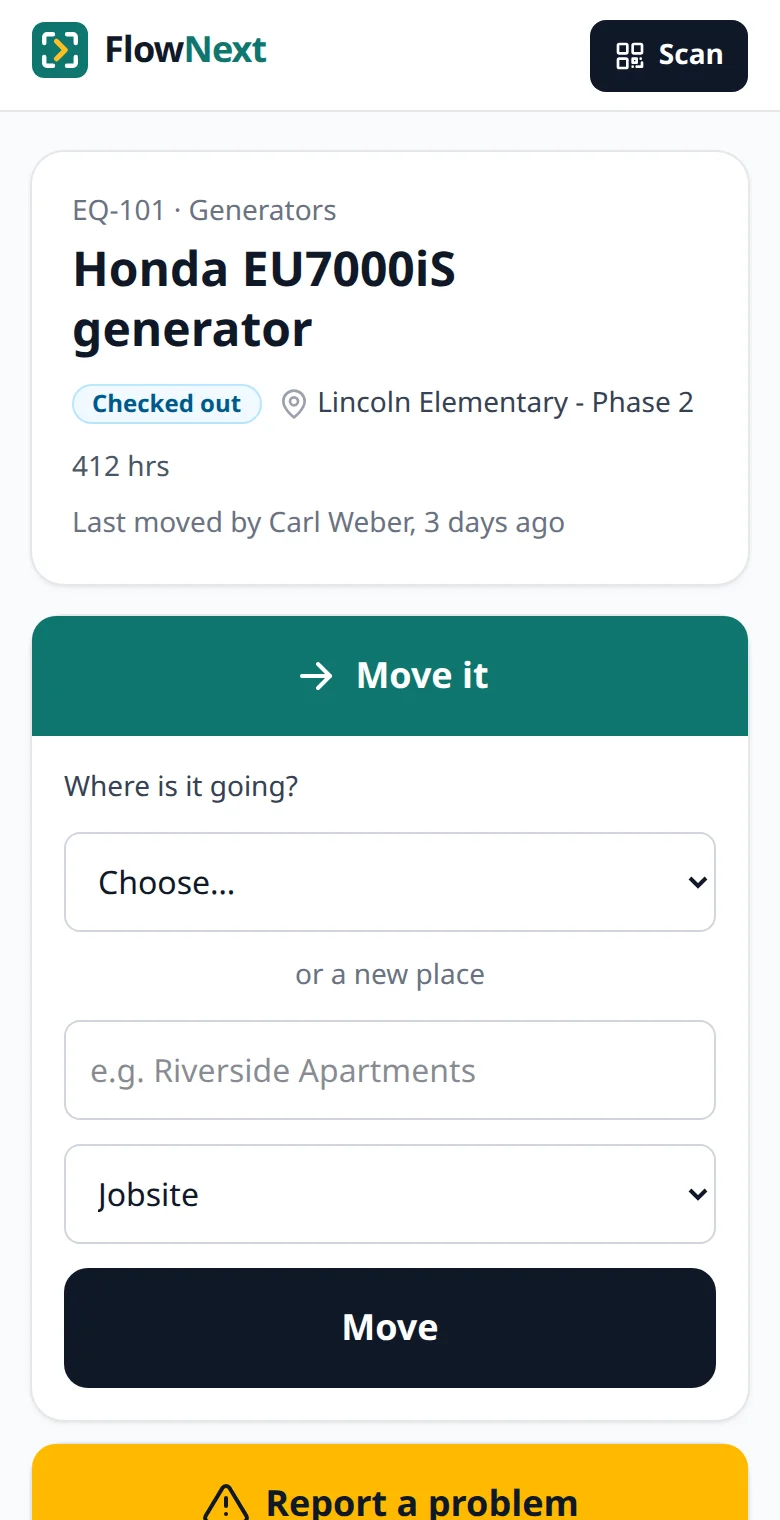
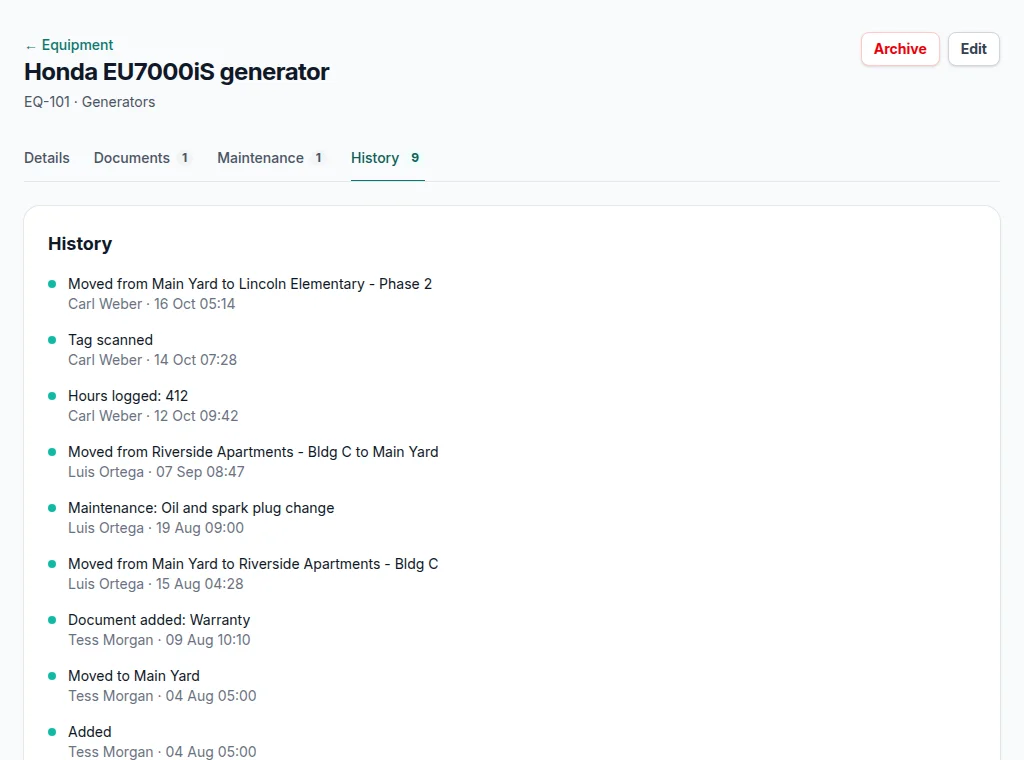
Screens from a demo account with made-up equipment and people.
Three things a crew can do from a tag
Move it
Pick where it's going — a jobsite, a van, the yard, a person — or type a new jobsite name on the spot. Sending it out checks it out; bringing it back to the yard checks it in.
Log hours
Type the hour-meter reading on a generator, lift or compressor. It lands in the item's history next to its service records, so the shop isn't calling around for numbers.
Report a problem
Say what's wrong in a sentence. The item is marked out of service at once, and the next person who scans it sees that before they use it.
Every update is recorded with who made it and when, and can't be edited afterwards. That record is what the chain of custody report reads.
Sign-in built for people who hate signing in
- The office invites a crew member by email. Accepting the invitation signs them in — there's no password to make up.
- The phone stays signed in for a year. If it does get signed out, they type their email and tap the link that arrives.
- Field users only see the tag pages, not the office screens, prices or settings.
- No per-user fee: add temps and subcontractors the day they start and remove them the day they leave.
Works on the phones crews already have
The tag pages are plain web pages with large buttons, built to load on a weak signal. Any phone whose camera opens QR codes works — which is nearly every iPhone and Android phone sold in the last several years.
There is nothing to install, update or approve in an app store, and no app for your IT person to manage.
Where it happened, without tracking anyone
When a crew member moves an item, logs hours or reports a problem, the phone's location at that moment is saved with the entry and shows as a map link in the history. When they move something, the nearest yard or jobsite (within about 150 m) is suggested first.
Location is read only at the moment of an update — never in the background, and never from a scan alone. The tag page tells crews it's on, and an owner can turn it off in Settings. Some states require you to tell employees about electronic monitoring; this makes that easy to describe.
Questions
Do crew members need a password?+
No. The office invites them by email, accepting signs them in, and the phone stays signed in for a year. If it gets signed out, they type their email and tap the link that arrives.
Does FlowNext track where my crew is?+
No. The phone's location is read only at the moment someone moves an item, logs hours or reports a problem — never in the background, and never from a scan alone. An owner can turn it off in Settings.
Do field users cost extra?+
No. Field users are free and unlimited on every plan, temps and subcontractors included.
Guides on tool tracking
- Preventing tool theft on construction sites Marking, locking up, records that help recovery, and what to do after a theft.
- How to track tools across jobsites Homes, numbers, handoffs and the end-of-job sweep that keeps a list true.
- Tool check-out policy template for contractors A starting policy for who takes what, and what happens when it breaks.
More of what's in FlowNext
- QR & barcode tags Print your own labels or use the barcodes already on your gear.
- Inspections & AI reading Due dates from your certificates, and a morning email before they lapse.
- Reports Compliance, chain of custody, equipment by location, cost of ownership.
- Maintenance & costs Service history per machine and when to replace instead of repair.
- Import & switching Bring your spreadsheet, or another app's export as it is.
Try it on your own equipment
14 days free on the Pro plan, no card. Import your list, print a sheet of tags and have the crew scan one today.